문제점
테이블 뷰/컬렉션 뷰에서 셀을 사용할 때 register, dequeue 하는 과정이 필요하다.
이때 셀 식별자를 사용하는데, String 값으로 관리하다 보니 "Cell"이라는 식별자를 "CEll"로 입력하거나 "Cel"로 입력하는 등 단순 실수로 인해 문제가 발생할 수 있다.
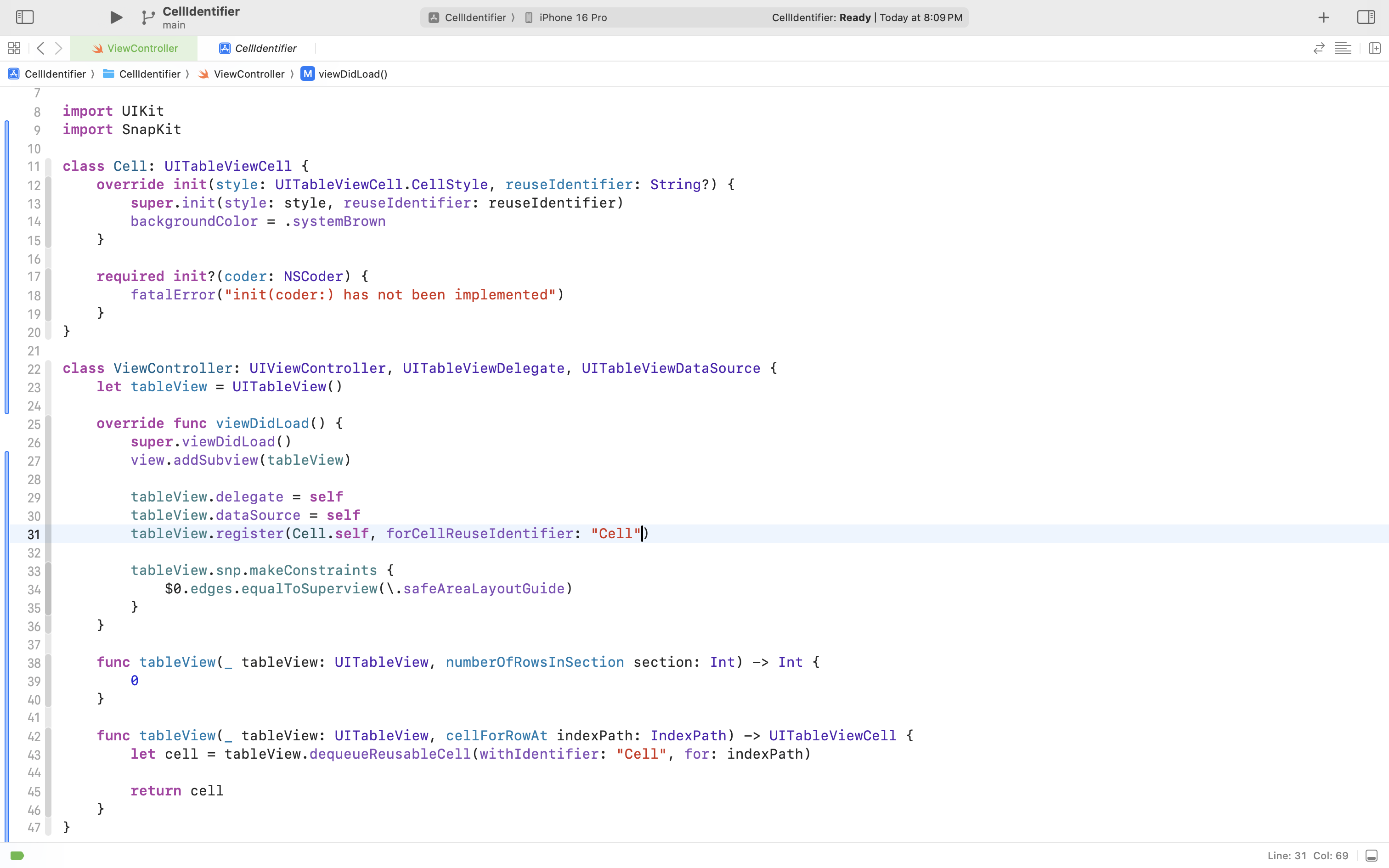
import UIKit
import SnapKit

class Cell: UITableViewCell {
    override init(style: UITableViewCell.CellStyle, reuseIdentifier: String?) {
        super.init(style: style, reuseIdentifier: reuseIdentifier)
        backgroundColor = .systemBrown
    }

    required init?(coder: NSCoder) {
        fatalError("init(coder:) has not been implemented")
    }
}

class ViewController: UIViewController, UITableViewDelegate, UITableViewDataSource {
    let tableView = UITableView()

    override func viewDidLoad() {
        super.viewDidLoad()
        view.addSubview(tableView)

        tableView.delegate = self
        tableView.dataSource = self
        tableView.register(Cell.self, forCellReuseIdentifier: "Cell")

        tableView.snp.makeConstraints {
            $0.edges.equalToSuperview(\.safeAreaLayoutGuide)
        }
    }

    func tableView(_ tableView: UITableView, numberOfRowsInSection section: Int) -> Int {
        0
    }

    func tableView(_ tableView: UITableView, cellForRowAt indexPath: IndexPath) -> UITableViewCell {
        let cell = tableView.dequeueReusableCell(withIdentifier: "Cell", for: indexPath)

        return cell
    }
}
개선방안 1
그래서 타이핑 실수로 인해 문제가 발생하지 않게끔 Cell 식별자를 관리하는 모델을 정의해 사용할 수 있다.
struct CellIdentifier {
    static let customCell1 = "CustomCell1"
    static let customCell2 = "CustomCell2"
    static let customCell3 = "CustomCell3"
}
이러한 방식으로 관리하던 도중, 해당 모델이 항상 메모리에 남아있는 필요가 없다고 생각하기도 하고 동시에 이 또한 문자열을 통해 수동으로 관리하는 방식이라 에러가 생길 수 있다고 판단
개선방안 2
일전에 print를 공부하면서 학습한 String(describing:)를 통해 개선할 수 있다고 판단
protocol IsIdentifiable: AnyObject {
    static var identifier: String { get }
}

extension IsIdentifiable {
    static var identifier: String {
        String(describing: Self.self)
    }
}
register, dequeue에는 String 값이 필요한데, 이를 identifier라는 메서드를 사용해 반환하도록 한다.
identifier는 String(describing:)을 사용하며 Self.self로 Self에 대한 타입을 String으로 보여줄 수 있도록 했음
->
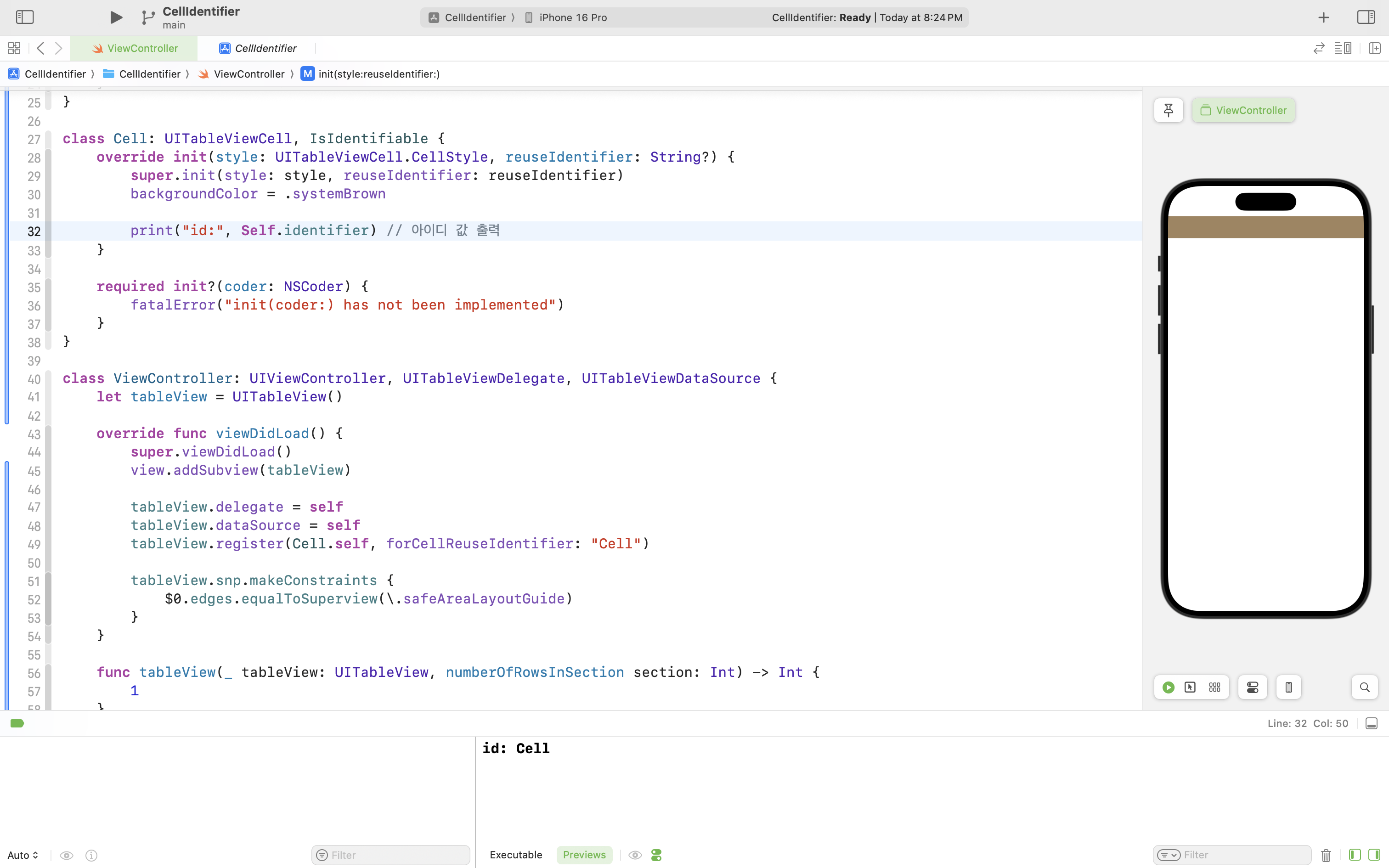
register, dequeue는 아래와 같이 사용
class VC: UIViewController {
// ...
// 셀 등록
tableView.register(Cell.self, forCellReuseIdentifier: Cell.identifier)
// ...
// 셀 디큐
tableView.dequeueReusableCell(withIdentifier: Cell.identifier, for: indexPath)
// ...
}
추가
register와 dequeue 모두 Cell 타입 하나로 필요한 정보를 모두 얻을 수 있다.
따라서, extension을 통해 이 함수를 확장 시킬 수 있게 됨
->
extension UICollectionView {
    func register(_ cellClass: (UICollectionViewCell & IsIdentifiable).Type) {
        self.register(cellClass, forCellWithReuseIdentifier: cellClass.identifier)
    }

    func dequeueReusableCell(_ cellClass: (UICollectionViewCell & IsIdentifiable).Type, for indexPath: IndexPath) -> (AnyObject & IsIdentifiable) {
        self.dequeueReusableCell(withReuseIdentifier: cellClass.identifier, for: indexPath) as! (AnyObject & IsIdentifiable)
    }
}

extension UITableView {
    func register(_ cellClass: (UITableViewCell & IsIdentifiable).Type) {
        self.register(cellClass, forCellReuseIdentifier: cellClass.identifier)
    }

    func dequeueReusableCell(_ cellClass: (UITableViewCell & IsIdentifiable).Type, for indexPath: IndexPath) -> UITableViewCell {
        self.dequeueReusableCell(withIdentifier: cellClass.identifier, for: indexPath)
    }
}
참고
'Swift > UIKit' 카테고리의 다른 글
| UIControl 이벤트를 Combine 퍼블리셔로 만들기 (0) | 2025.08.20 |
|---|---|
| 버튼을 통해 IndexPath 전달하기 (2) | 2025.08.18 |
| UIKit: 테이블 뷰 셀 내부에 원형 뷰 만드는 방법 (3) | 2025.07.28 |
| UIKit: Layout Cycle (0) | 2025.07.27 |
| UIKit: Render Loop (2) | 2025.07.27 |
